.webp)

.webp)
.webp)
.webp)
.webp)
.webp)


-2.jpg?width=960&name=Webinar_3%20Speakers%20(2)-2.jpg)

.webp)



Salesforce AI documentation: Document without slowing down
Salesforce documentation should help companies capture org context without slowing down delivery. In practice, that means documenting the parts of Salesforce that admins, architects, analysts, and AI systems need in order to understand metadata, processes, and change history without relying on tribal knowledge. That matters even more now that Salesforce’s own AI guidance puts more emphasis on metadata, descriptions, and context as inputs that help Agentforce understand customizations more effectively.
The problem is that many teams still hear “document the org” and picture a massive side project that gets pushed behind releases, bug fixes, and stakeholder requests. That is usually where documentation starts to fail. It gets treated as separate from delivery, stored in disconnected files, and revisited only when someone is trying to untangle a broken flow, a confusing field, or a report nobody trusts.
That approach becomes even harder to sustain in an AI-heavy Salesforce environment. A seasoned admin can sometimes work around vague labels, missing descriptions, and unclear ownership because they already know the org. AI cannot. When metadata descriptions are weak, business definitions are inconsistent, and change history is difficult to follow, the org provides inaccurate answers and insights for humans and is less interpretable for AI.
Why Salesforce Documentation Breaks Down
Salesforce documentation usually breaks down for a few predictable reasons. Teams often assume they need to document everything at first. And in many cases, nobody has agreed on what “good enough” documentation should actually include.
The result is not just inconvenience. Weak documentation leads to riskier changes, more technical debt, more onboarding friction, and more time spent rediscovering how the org works. Instead of helping teams move faster over time, poor documentation makes the org harder to navigate and increases the likelihood of avoidable mistakes.
That’s the part many teams miss: good documentation doesn’t slow you down.
Teams skip documentation in the name of moving quickly, then pay for it later through rework, cleanup, and uncertainty every time a change touches something unexpected.
What Salesforce Documentation for AI Should Actually Mean
Salesforce documentation should not mean generating a pile of generic text and calling the org AI-ready. It should mean creating useful, current context around metadata, fields, flows, business definitions, ownership, and change history so both people and AI can understand how the org works.
That is why AI-ready Salesforce documentation needs to stay closely tied to metadata. Metadata is the blueprint behind Salesforce customizations, and Agentforce relies on that context to interpret custom fields, objects, flows, and other changes across the org. The broader direction is clear: teams need cleaner labels, stronger descriptions, and less unnecessary clutter so AI has better context to work with.
A practical way to think about it is this: Salesforce documentation is the layer of structured business and technical context that keeps the org understandable as it evolves. It should help a future admin understand why something exists, help an analyst trust what a field means, help a release owner assess risk, and help AI interpret the system with fewer blind spots.
How to Document Without Slowing Down
1. Document in the workflow, not after the project
The fastest documentation process is the one that happens where the work already happens. If teams wait until after a release, documentation turns into a memory exercise and usually gets deprioritized. Keeping documentation close to the system where admins already work reduces friction and makes it easier to capture useful context while changes are still fresh.
2. Start with what changes most
You do not need to fully document every corner of the org before seeing value. A more practical approach is to start with the areas that change often, support important reporting, drive key workflows, or create the most risk if misunderstood. Document the things that matter most first, then expand from there.
3. Standardize what good documentation looks like
Documentation gets slow when every admin writes it differently. Teams move faster when they use a consistent method for what gets captured: what this component does, why it exists, who owns it, what depends on it, and what changes need to be tracked over time. A shared standard also makes it easier to review documentation quality and keep it current.
4. Keep documentation close to metadata and dependencies
Static documentation drifts quickly. Living documentation stays useful because it remains tied to the metadata and processes it describes. Documentation becomes far more valuable when it reflects the system as it actually changes instead of becoming a separate archive that starts going stale after the next release.
5. Use AI to accelerate the first draft, not replace judgment
AI can help fill blanks, draft descriptions, and speed up documentation work. But teams still need human review, especially where documentation affects analytics, governance, compliance, process ownership, or AI behavior. The goal should be governed acceleration, not blind automation.
What an AI-Ready Salesforce Documentation System Should Include
An AI-Ready Salesforce Documentation System should cover a few essential layers.
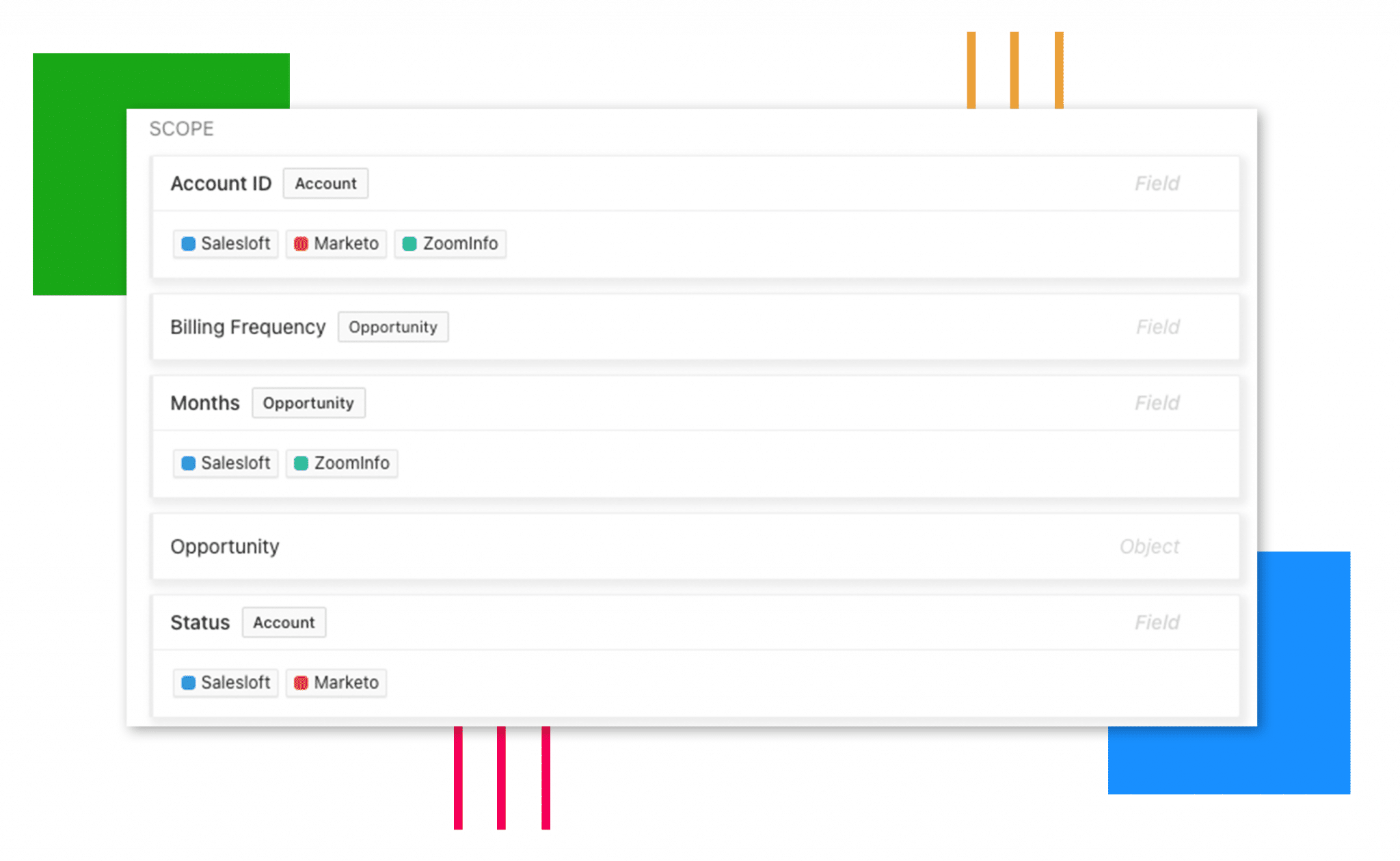
First, it needs a Metadata layer. Objects, fields, and automation components should have clear names, useful descriptions, and enough context that a future admin or AI system can understand what they are looking at. The Description field becomes especially valuable here because it helps make intent and usage easier to understand.
Second, it needs business context. Documentation is not just a technical inventory. It should explain why a system was built a certain way, how it interacts with other parts of the business, and who to talk to if there is a question. That is what turns documentation from a static reference sheet into something genuinely useful.
Third, it needs context behind changes. Teams do not just need to know what exists. They need to know what changed, why it changed, and what else might be affected. That is why good documentation and good change management reinforce each other. It becomes much easier to plan releases, review impact, and troubleshoot later when documentation grows alongside the org instead of lagging behind it.
Fourth, it should include governance signals where relevant. Data classification, ownership, field usage, and sensitivity context all make documentation more useful when the org supports AI, analytics, and cross-team operations.
How Arovy Automates Salesforce Documentation
At Arovy, we believe Salesforce documentation should stay connected to the metadata, processes, and changes teams work with every day instead of living in disconnected spreadsheets or static docs that fall behind the org.
That is why we approach documentation as a living system: we automate the process by auto-documenting hundreds of fields in minutes, keeping field and object context centralized, classifying sensitive data more consistently, and maintaining a clear view of how metadata changes over time. Instead of treating documentation as separate from delivery, we help teams keep it current as the org evolves.
Our goal is simple: we automate Salesforce documentation so it’s easier to maintain, more useful for admins and stakeholders, and better suited for AI, analytics, and change management.
Want to see how Arovy can help? Request a free trial today.
Final Thoughts
Salesforce documentation should not become a giant cleanup project that stalls delivery. It should be a practical system for capturing the business meaning of metadata, the logic behind core processes, and the context behind changes so the org stays understandable as it grows.
When documentation works this way, it does not slow teams down. It reduces rework, makes change planning easier, improves trust in Salesforce data, and gives AI a stronger foundation to work from. That is what makes AI-ready Salesforce documentation worth doing now, not later.